Conveyors move rock from where it is dug or crushed to where you want it: into a machine, onto the dump yard (where it is sold), or onto the ground. You lay a whole line in one drag, and the game fits straight belts, corners and the slope for you.
What a line is made of
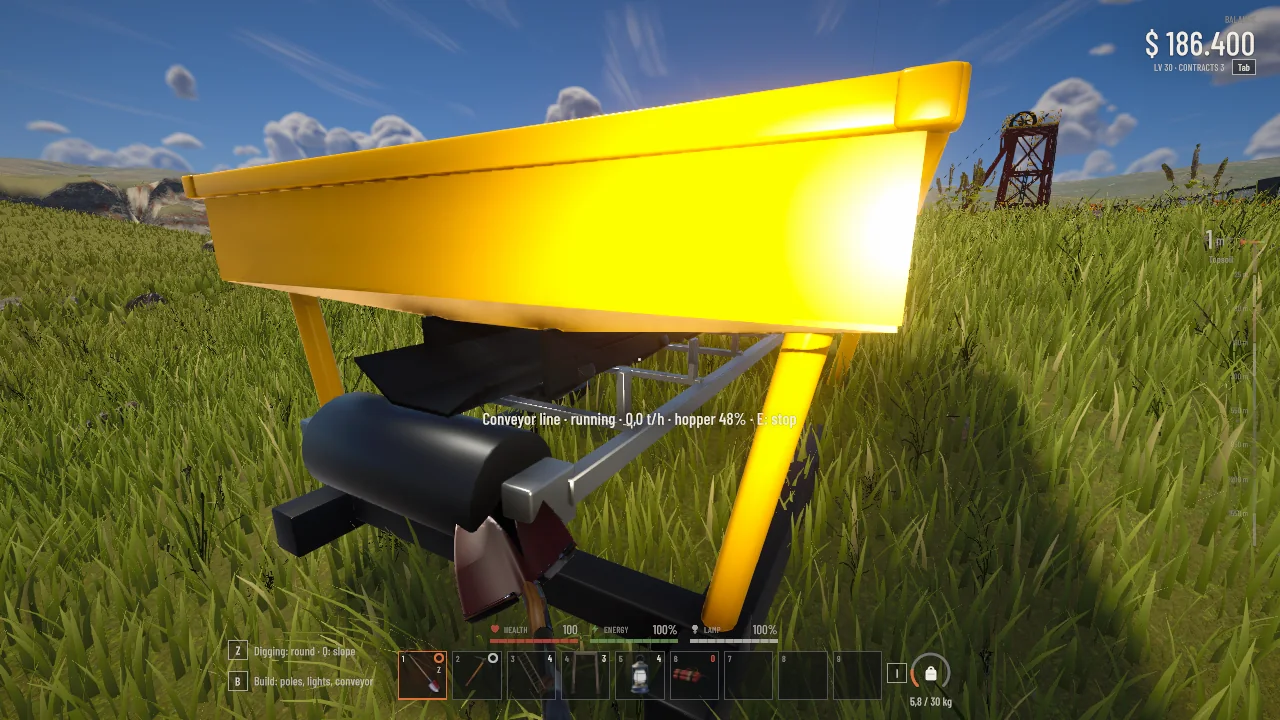
- A hopper starts a line. Excavators, wheel loaders and wheelbarrows dump into it.
- Belt pieces run in straight flights of up to 6 m.
- Corners are either a turning belt (a flat belt that bends, 2.6 m radius, in 15 degree steps) or a transfer tower (a chute where one belt drops its load onto the next, 1.3 to 4.5 m lower).
- A head with a drive motor and discharge chute ends a line. It draws 15 kW.
Belts, hoppers and heads need company level 3. A bucket elevator needs level 5.
Drawing a line
- Open build mode (B), Conveyors tab, pick "Belt line".
- Aim at where it should start. A ring marks valid starts: an empty hopper outlet, a machine's discharge chute, the free end of a belt, a head (the line continues and the head moves to the new end), or bare ground (a new hopper is built).
- Hold the left mouse button and drag. The ghost shows the planned line in green. The first piece that cannot go is red with the reason. Labels show corners, slope, length and the price.
- Release the button to build the whole line. You pay once.
Ends snap magnetically: over a hopper or a machine's feed (the head's chute lands over its mouth), over the bucket elevator's boot, over the dump yard, or onto the start of a belt that nothing feeds (they are joined with a transfer tower). Aim at empty ground and the head just pours onto the ground.
Controls while dragging
| Key | Action |
|---|---|
| Hold Left mouse button and drag | Plan the line; release to build |
| Right mouse button | Pin a waypoint so the line goes through it |
| Backspace | Remove the last waypoint |
| Q | Square corners (the line turns in right angles) |
| R | Diagonal corners (turns as early as heading steps allow) |
| Mouse wheel | Corner type: automatic / turning belt / transfer tower |
| X (hold) | Cancel the drag |
| Ctrl + Z | Undo the finished line within 20 s, full refund |
What the tool takes care of
- Heights. The belt stays at least 0.75 m above the ground, climbs at most 17 degrees and drops at most 15, and steps down at every transfer tower. A flight under a transfer's loading box can climb at most 6 degrees.
- Corners. A turning belt needs a short straight belt before and after it. If there is no room, a transfer tower is used. A belt can turn up to 90 degrees at a transfer.
- Length. One drag can be up to 160 m. For a longer line pin waypoints with the right button and drag in parts.
- Supports. The belt stands on legs that reach up to 14 m above the ground. Higher than that you get "Too high: the legs reach 14 m at most".
If the plan fails you get plain-language reasons: "The belt runs into the ground: dig first or drag another way", "No room for a turning belt: it needs at least 3.0 m of straight belt before and after the corner", "The line is too long".
Power
The head draws 15 kW and needs a live power pole or a generator within 30 m. Poles reach 30 m from each other. You buy generators in the workshop under Site (20 kVA, 60 kVA, 150 kVA, 400 kVA, and a mains connection at the top). If the total load goes over what the generator supplies, the breaker trips and everything on the network stops. The conveyor tells you why it is not running: "no power: no generator", "breaker tripped: load 22 kW, generator 20 kVA (2 kW over)", or "no power: nearest live pole 41 m, it has to be within 30 m".
A conveyor's speed is 1.2 m/s. The workshop sells "Conveyor: strong drive" ($4,000, then $9,000, company level 3 and up): 1.7 m/s and then 2.2 m/s.
Checking a line
Look at any piece of a line (hopper, belt, corner, transfer tower, head) and read the prompt:
- "running", the flow in t/h and the hopper's fill ("hopper 45%");
- "switched off" if someone stopped it;
- "line unfinished: put a belt head at the end";
- why it has no power;
- "Backfill area is full" (see below);
- "... is full: the material is pouring onto the ground" when what it feeds is full.
Press E while looking at it to stop the line, again to start it. In co-op the host runs the line and a guest's key press is passed to the host.
Underground: backfill
A belt head that ends under a rock roof, well below the natural ground, can fill worked-out space. Soil and waste rock drop as loose fill and build a heap under the head. When the heap gets within about 35 cm of the roof the belt stops with "Backfill area is full". Extend the belt or move the head to a new spot to keep filling. A single pour point fills a wedge about 5 m long. Ore is never buried: lumps that carry ore pieces fall as normal pieces.
Bucket elevator
An elevator lifts load vertically: the belt feeds a hopper at its foot, the buckets carry it up and it falls from a chute at the head. Pick "Bucket elevator" in the same tab. The mouse wheel sets its height (2 m sections). It needs 11 kW and company level 5.
Tips
- Drag from the machine outward: start at the crusher or the skip chute and end at the dump yard.
- A line that ends over the dump yard sells everything that arrives.
- Put the hopper where machines can reach it, not where a belt goes: the hopper is the part your vehicles use.
- If a line stops "for no reason", look at its head first: no power is the usual cause.